

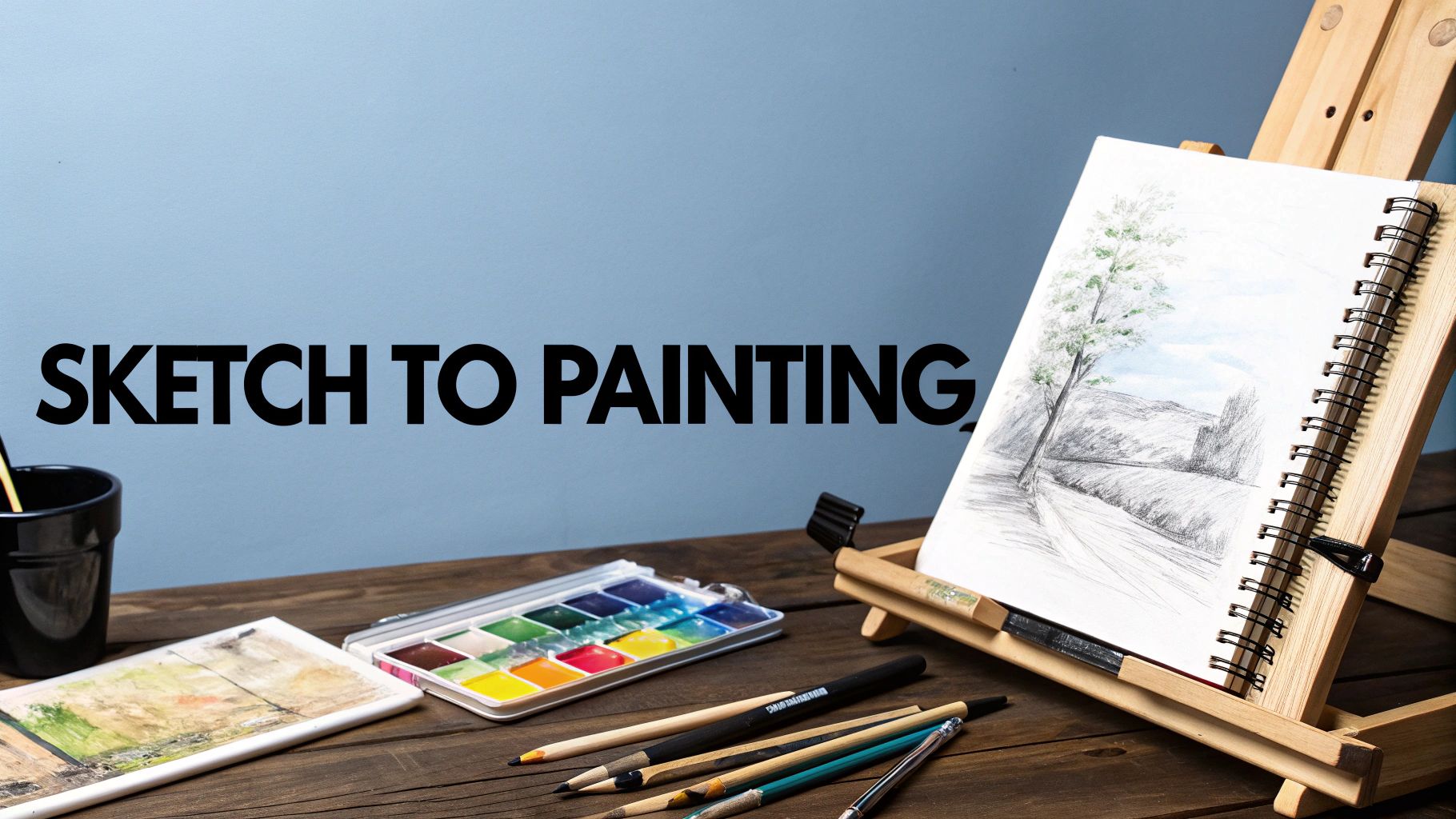

Every masterpiece, whether hanging in a gallery or glowing on a screen, began with a simple line. That critical journey from sketch to painting is where the real magic happens—it’s the bridge between a fleeting idea and a tangible piece of art. Consider it the architectural blueprint for your painting. This is the strategic phase where you wrestle with composition, map out light and shadow, and solidify your vision before a single drop of paint is applied or a pixel is placed.
The Blueprint: From Sketch to Final Painting
Executing a sketch before painting isn’t just an extra step; it’s a core discipline in professional creative workflows. It provides a clear path forward, whether you’re working with traditional oils on canvas or pixels in a digital environment. By resolving the major compositional and structural problems first, you create a reliable map that guides every subsequent brushstroke and color choice. It mitigates guesswork and frees up cognitive load, allowing your creativity to flow without impediment.
This methodology is not a recent innovation. The process of starting with a drawing has been the backbone of artistic creation for centuries. The Renaissance masters are a prime example. Figures like Leonardo da Vinci and Michelangelo were renowned for their detailed preparatory drawings, which they used to meticulously plan their iconic frescoes and paintings. Art historians estimate that for any major work from that era, an artist would produce at least 3 to 5 preparatory sketches. This underscores the vital importance of the initial stage for locking down composition and experimenting freely before committing to the final medium. You can see how these historical practices continue to shape the art world by exploring the global art markets on ProminentPainting.com.
Sketch vs. Painting: A Quick Comparison
Before diving into the technical execution, it’s essential to understand how these two stages function in a professional pipeline. A sketch is about rapid ideation, exploration, and problem-solving. A painting is about execution, building depth, texture, and bringing that initial concept to a state of full refinement.
This image effectively breaks down the difference in time and complexity between the two phases.

As you can see, sketching is a low-stakes, high-speed method for validating your composition. Painting is the long-term investment, where significant time is dedicated to building up detail, intricacy, and finish.
Why This Foundation Is Non-Negotiable
Attempting to paint without a preliminary sketch is akin to an architect attempting to construct a building without a blueprint. While you might erect a wall, you’re introducing systemic risk and inefficiency into the project. A solid sketch is your most valuable asset because it helps you:
- Solve Compositional Puzzles Early: You can iterate on element placement, perspective, and balance without wasting expensive materials or hours of rendering time.
- Establish a Value Map: This is critical. Sketching allows you to define your lights, mid-tones, and darks in a simplified format, ensuring your final painting will possess a convincing sense of depth and form.
- Build Creative Confidence: A clear plan enables you to paint with purpose and intentionality. This reduces hesitation, leading to more expressive and confident execution.
The sketch is the skeleton of your artwork. It provides the underlying structure that supports the entire piece, ensuring that no matter how complex the colors or textures become, the foundational anatomy remains strong and coherent.
To provide a clearer sense of how this plays out across different mediums, here’s a high-level comparison of creative workflows.
Sketch to Painting Workflow Comparison
| Workflow Stage | Traditional Approach (e.g., Oil on Canvas) | Digital Approach (e.g., Procreate, Photoshop) | AI-Assisted Approach (e.g., Legaci.io, Midjourney) |
|---|---|---|---|
| Initial Sketching | Graphite or charcoal on paper/canvas. Focus on composition, form, and value. Physical, iterative process. | Digital pencil/brush on a layer. Easy to erase, resize, and experiment with composition non-destructively. | Rough sketch (physical or digital) used as an image prompt. AI interprets and generates initial visual concepts. |
| Refinement | Transferring the sketch to the final surface. Inking or creating a detailed underdrawing. | Creating clean line art on a new layer. Refining shapes and preparing for color. Can use vector tools for precision. | Refining text prompts and using tools like inpainting or outpainting to guide the AI toward the desired composition. |
| Color & Rendering | Applying paint in layers (underpainting, blocking in, detailing). Colors mix physically. Drying time is a factor. | Using layers for color blocking, shading, and highlights. Digital color pickers and blending modes offer flexibility. | Guiding the AI with color palettes via prompts or reference images. AI renders the full scene based on the sketch and text. |
| Final Touches | Varnishing, adding final highlights (glazing/scumbling). Physical textures are part of the final piece. | Applying adjustment layers, filters, and textures. Final color grading and sharpening. | Post-processing the AI-generated image in a digital tool. Correcting artifacts, adding personal details, and refining lighting. |
Ultimately, each path has its own rhythm and toolset, but the core principle remains constant. Beginning with a sketch establishes a foundation for a more streamlined and successful creative process—a truth that holds whether you’re using traditional paints, a digital canvas, or leveraging the powerful new frontier of AI-assisted creation.
Choosing the Right Tools for Your Vision
The success of your painting is often predetermined by the tools you select before making a single mark. This isn’t merely about choosing a pencil or a software application; it’s about identifying a creative partner that aligns with your artistic style and the specific demands of the project. Your toolkit should feel like a seamless extension of your creative intent, not a cumbersome barrier.
For those who value the tactile experience of traditional media, the initial sketch is paramount. A high-quality graphite pencil offers precision, ideal for mapping out detailed portraits or complex architectural scenes. Conversely, charcoal excels in drama and expression. It’s bold, gestural, and superb for establishing rich, dark values that will translate into powerful, dynamic paintings.
The Digital Artist’s Arsenal
Navigating the digital landscape can feel daunting given the plethora of options. However, the choice often comes down to personal workflow preferences and the tactile response of the software’s brush engine under your stylus.
The industry titans are undoubtedly Adobe Photoshop and Procreate, and for good reason. Procreate, on the iPad, offers an incredibly intuitive user experience. Its brush engine is so responsive that the entire sketch to painting process feels fluid and natural, closely mimicking traditional drawing.
However, for large-scale projects or integration into professional pipelines, Photoshop remains the undisputed industry standard. It’s more than a painting application; it’s a comprehensive image-editing powerhouse with robust layer management, extensive toolsets, and seamless integration with the Adobe Creative Cloud ecosystem.
Here’s an inside look at the kind of professional interface you’d be leveraging—a command center for executing ambitious creative visions.

This screenshot illustrates Photoshop’s depth. The sophisticated layer system and vast array of tools are what enable complex, non-destructive workflows essential for professional production.
This digital shift is not a minor trend; it’s a fundamental reshaping of the creative landscape. The global painting software market is currently valued at approximately $2.5 billion and is projected to skyrocket to $7.8 billion by 2033. This explosive growth is fueled by the ability of artists to take a simple sketch and develop it into a finished masterpiece on virtually any device. You can get a closer look at these market trends on DataInsighsMarket.com.
New Creative Accelerators
Beyond standard digital painting suites, a new class of tools is emerging that function less like software and more like creative collaborators. A platform like Legaci.io, for instance, integrates generative AI directly into the creative workflow. An artist can input an initial sketch and leverage the AI to rapidly explore countless variations in color, texture, and style. The objective is not to replace the artist but to augment their capabilities with a powerful new set of tools.
The modern creator’s toolkit is a hybrid ecosystem. The most effective artists are those who can fluidly move between traditional sketching, powerful digital painting software, and AI-assisted platforms, selecting the right tool for each specific stage of their creative process.
Ultimately, the goal is to assemble a toolset that inspires and facilitates creation. Whether it’s the honest feedback of a graphite pencil, the limitless potential of Photoshop, or the paradigm-shifting possibilities of AI, your tools should serve your art. Making the right choices here lays a solid foundation for the entire creative journey.
Building a Strong Foundation With Your Sketch
Every powerful painting I’ve ever created started with a solid sketch. This isn’t just about doodling a loose idea; it’s the critical moment where you translate a fleeting thought into an intentional, thoughtful design. Think of it as the blueprint for your entire piece—a reliable roadmap for every brushstroke that will follow.
This is where the real refinement happens. I always start by cleaning up my initial gesture drawings, turning those loose, exploratory marks into confident, decisive lines that carve out the final form of my subject. Now is the time to be a stickler for proportions. Seriously, this is your last, best chance to fix an awkward angle or an unbalanced composition before you commit to paint.
Most digital art programs have built-in grids and perspective guides that can be a lifesaver here. And if you’re working from a photo, our guide on how to turn a picture into a pencil sketch has some great techniques for establishing a strong base from the get-go.

Establishing Values Before Color
Here’s a piece of advice that changed everything for me: figure out your values before you even think about color. Values are simply the range of light to dark tones in your image. Getting this right from the start forces you to solve tricky problems with lighting and form early on, which is the secret to a final painting that has real depth and dimension.
An easy way to tackle this is to create a quick grayscale value map right over your sketch. Just shade in your darkest shadows, block out your brightest highlights, and fill in the mid-tones. This simple “underpainting” becomes an invaluable guide, telling you exactly where your colors need to be light, dark, or somewhere in between.
Your value structure is the skeleton of your painting. Color is the skin. Without a strong skeleton, the most beautiful skin will just collapse into a formless mess.
This process of building up from a sketch is a universal practice. It’s fascinating to see how it plays out across the art world. Data shows that around 60% of artists are self-taught, and for many of them, rigorous sketching is the primary way they develop their ideas. Even among the 30% of artists with formal art school training, sketch-based exercises remain a cornerstone of their education.
This time-honored technique is thriving in the digital age, too. Online art platforms are seeing a 30% annual growth in users who create digital sketches and paintings, which tells you just how fundamental this step remains for artists at every level.
When you put in the time to create a detailed, structurally sound sketch with a clear value plan, you’re doing so much more than just drawing. You’re actively problem-solving. You’re taking an abstract concept and building it into a visually compelling image, ready for the magic of color.
Bringing Your Painting to Life With Color and Light
With your structural drawing and value map locked in, it’s time to introduce color. This is the phase where we breathe life into the solid foundation you’ve meticulously constructed. The immediate goal is not detail; the first mission is to lay down broad, foundational strokes of color.
This stage is known as color blocking. I think of it as constructing a mosaic with large, simple tiles of color. You are laying down foundational hues to establish the overall mood and color narrative of the piece. The key is to ensure every color choice respects the light and shadow hierarchy defined by your value map.

Rendering and Adding Dimension
With your color foundation established, you can begin the rendering process. This is the delicate dance of blending, layering, and adding texture that transforms flat shapes into forms with convincing three-dimensionality. Your value map is your most crucial guide here, dictating precisely where light hits a surface and where shadows must fall.
If you’re working digitally, your software becomes an incredible asset for this task. You can achieve professional results by:
- Using Soft Brushes: I typically begin with a low-opacity airbrush or a soft round brush. These tools are perfect for creating smooth gradients and transitions between your blocked-in colors.
- Leveraging Layer Modes: Mastering layer modes is essential. Setting a new layer to “Multiply” is a game-changer for deepening shadows without losing color information or creating muddy tones. For highlights, “Overlay” or “Soft Light” can add a luminous, vibrant pop.
- Building Up Texture: Avoid a sterile, “digital” look by introducing texture. Experiment with textured brushes to break up smooth surfaces. Even a subtle canvas or paper texture overlay can add significant depth and realism. For a deeper dive, our guide on how to paint with texture offers advanced techniques for creating tactile surfaces.
For traditional painters, the principles are identical, but the execution is wonderfully hands-on. Wet-on-wet blending with oils can produce beautifully soft edges, while techniques like scumbling—applying a dry brush with opaque paint over a surface—are fantastic for building atmosphere and texture.
The rendering stage is a conversation between your colors and your values. Every brushstroke must serve the light, reinforcing the form you planned from the outset. This is how you transform a flat image into a world with tangible depth.
Refining and Finalizing Your Color Work
As you progress through the rendering phase, make it a habit to regularly step back from your work. I mean this literally—view it from a distance. This simple action helps you assess whether the overall color balance and lighting are working in harmony. It’s far too easy to develop tunnel vision, spending an hour perfecting a minor detail only to find it disrupts the entire composition.
This iterative cycle of blocking, rendering, and refining is where the magic truly materializes. It’s a structured yet deeply creative process that connects your initial sketch to a finished, vibrant painting. Each layer of color and light builds upon the last, culminating in a piece that feels both intentionally designed and full of life. When you trust the foundation you’ve built, you can paint with confidence, knowing every decision is supported by a solid plan.
Using AI as Your Creative Co-Pilot
Now, let’s address the new paradigm in creative technology: artificial intelligence. I don’t view it as a replacement for artistic skill, but as an incredibly powerful collaborator. Think of it less as an autopilot and more as a co-pilot, with the artist remaining firmly in the captain’s seat.
Generative AI tools, like those integrated into the Legaci.io platform, can dramatically accelerate the journey from a rough sketch to a fully realized painting. The key to successful implementation is approaching it as a strategic partnership, not a creative surrender.
Your refined sketch serves as the ideal input. Instead of feeding a vague concept into the AI and hoping for a usable result, you provide a solid visual foundation—your composition, your drawing. This immediately constrains the AI’s output to your specific vision, ensuring the artistic soul of your piece isn’t lost in the algorithm.
Guiding the Generation
This is where the true art of AI collaboration lies. The effectiveness of generative AI is directly proportional to the quality of your communication. Vague prompts yield generic, soulless imagery. You must adopt the role of an art director providing precise instructions to a highly capable, yet literal, assistant.
Here’s my strategic framework for prompt engineering:
- Color & Light: Don’t just say “sunset colors.” Be specific. Try a prompt like, “dramatic chiaroscuro lighting, with deep indigo shadows and warm, golden hour highlights, in the style of Rembrandt.”
- Texture & Detail: “Stone wall” is insufficient. What kind? Let’s refine it: “a weathered, moss-covered cobblestone wall with visible grout lines and a slightly damp texture.” The difference is profound.
- Atmosphere & Mood: Instead of “misty forest,” create a sensory experience with your words. How about, “ethereal morning fog clinging to the forest floor, with volumetric light rays piercing the dense pine canopy.” Now we are directing, not just requesting.
Mastering this skill takes practice. For a more comprehensive breakdown, I recommend this excellent guide on how to write prompts.
The Legaci.io interface exemplifies this process. It allows you to combine your own visual input (your drawing) with a detailed text prompt to steer the creative output with precision.
This synthesis of a visual guide (your sketch) and a stylistic guide (your words) provides an unprecedented level of control over the generative process.
Leveraging AI in this manner is not cheating; it is a force multiplier for your creativity. It allows you to rapidly iterate on a dozen lighting scenarios, color palettes, or background concepts in the time it would traditionally take to manually paint just one.
I use this methodology constantly to overcome creative bottlenecks. If I’m struggling with a background for a character design, I’ll feed my sketch into the tool and generate five or six distinct concepts in minutes. It’s an incredibly efficient way to break through creative blocks and solve complex visual problems that could otherwise consume hours of frustrating trial and error.
Common Sticking Points in the Sketch to Painting Process
The transition from an energetic sketch to a fully rendered painting is a complex journey, and like any professional process, it has common points of failure. This path is filled with technical puzzles and creative roadblocks. Let’s analyze some of the most frequent hurdles and discuss strategies to overcome them, whether you’re working with oils, pixels, or AI.
Many artists, particularly those in earlier stages of their careers, find their finished paintings feel rigid and lifeless compared to their initial sketches. This is a classic symptom of attempting to perfectly trace every line, a process which inadvertently drains the energy captured in the preliminary drawing.
The solution is to treat your sketch as a guide, not a coloring book. You should not feel beholden to every line. Instead, focus on preserving the gesture, movement, and core idea of the original drawing. I find it beneficial to use larger brushes during the initial color blocking stage. This simple technique forces you to think in terms of large shapes and value masses, maintaining a fluid and dynamic workflow.
How Do I Pick the Right Colors?
Another common query revolves around color theory. You have a strong black-and-white value sketch, but how do you translate it into a vibrant painting without creating a muddy, chaotic result? This is where a limited palette becomes your most powerful strategic tool.
I strongly advise putting most of your colors away. Select just a few to work with—perhaps a warm primary, a cool primary, and a neutral. This constraint forces you to mix your own shades, which naturally creates color harmony throughout the piece. It also trains your eye to perceive how color temperature—not just value—can be used to define light and shadow, a critical step in mastering the sketch to painting process.
“I often see artists get lost in the details too early. The most successful transition from sketch to painting happens when you respect the foundational work but aren’t afraid to let the painting process itself introduce new energy and happy accidents.”
How Can I Find Time for Consistent Practice?
Let’s address the pragmatic reality. Perhaps the greatest challenge isn’t technical, but logistical: finding the time. Life has its demands, and creative projects often get relegated to the bottom of the priority list.
The key to overcoming this is to think in micro-habits. Do not aim to complete a full painting daily; this sets an unrealistic expectation. Instead, commit to an achievable goal, such as 15 minutes of sketching. This small, consistent practice builds muscle memory and keeps your creative faculties engaged without feeling like a burdensome task. You will be surprised how often those 15-minute sessions organically extend into an hour once you achieve a state of flow.
Here are a few practical strategies that have helped me maintain consistency:
- Schedule It: Block out art time in your calendar. Treat it with the same importance as a professional meeting.
- Lower the Barrier to Entry: Keep a sketchbook and pencil readily accessible on your desk or coffee table. Proximity to your tools significantly increases the likelihood of engagement.
- Focus on the Process, Not the Product: Release the pressure to create a masterpiece every session. The sole objective should be to make a mark and engage in the act of creation.
By proactively addressing these common sticking points, you can streamline your workflow, build significant confidence, and make the journey from a simple idea to a finished piece of art a far more efficient and rewarding endeavor.
Ready to accelerate your creative workflow? The Legaci.io platform is engineered with AI tools that help you explore color palettes, generate unique textures, and bring your sketches to life faster than ever. Find out how you can build your legacy with a new creative co-pilot.
Leave a Reply